
Conversation is only the interface
A chat window is a convenient front end, not a complete description of the system. A general-purpose assistant may combine a language model with file handling, web retrieval, image or audio input, and tools that perform bounded actions. The model generates responses through inference; surrounding software manages permissions, retrieves information or passes structured arguments to other services.
That distinction matters. A model asked to summarise a document is doing a different job from an assistant that searches a workspace, selects relevant passages and drafts a response with citations. Both may feel like “chat”, but their sources, failure modes and data flows differ. Products such as ChatGPT, Claude, Gemini and Microsoft Copilot change over time, so compare current task support and controls rather than assuming the label predicts capability.
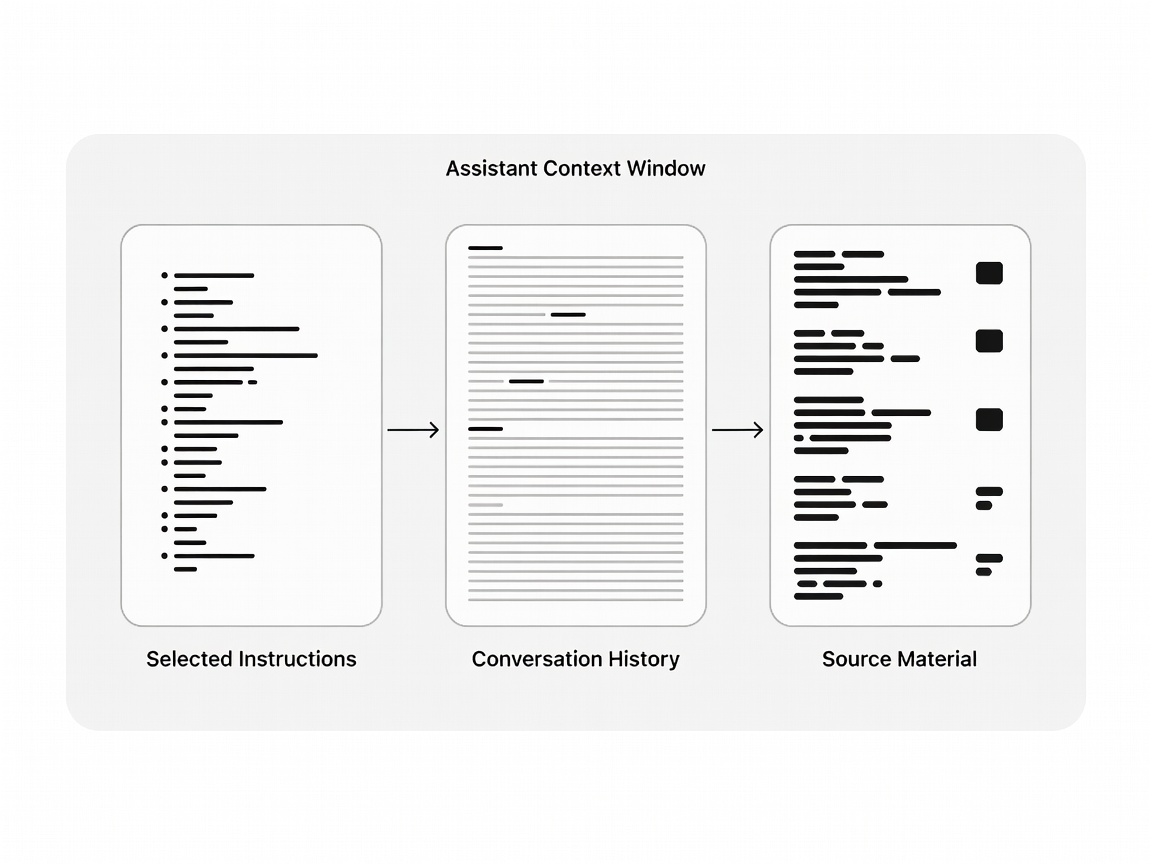
A model can only reason over the context and tools actually made available to it.
Context, retrieval and tool use
A context window is the material available during a particular interaction: instructions, messages and supplied content. A larger window can accommodate more material, but length alone does not guarantee that every detail will be noticed or used correctly. Ask whether the assistant keeps context between sessions, what can be removed, and whether long documents are processed in full or selectively.
Retrieval-augmented generation (RAG) adds a search step: a system finds relevant material, then supplies it to a model to help form an answer. It can make private or changing information accessible without fine-tuning the model, but retrieval can miss the crucial passage. Check whether the answer exposes source excerpts and whether the cited material actually supports the claim.
Tool use is another boundary. Function calling lets a model request a structured action—such as looking up a record—while the application decides whether to execute it. A request to draft a calendar entry is not the same as permission to create one. For actions with consequences, look for confirmation steps, scoped access and a useful activity trail.
Multimodal input changes the job
Multimodal models can work across combinations of text, images, audio or video, depending on the product. That is valuable for describing a chart, transcribing a recording or asking questions about a visual document. It is not a guarantee of reliable perception: small labels, unusual layouts, accents, background noise and time-sensitive details can undermine results. For high-stakes interpretation, retain the original and verify the output against it.

Choose by the work and the boundary
Before adopting an assistant, map a real task from input to final output. Useful questions include:
- Does it accept the files and modalities you use, and can you inspect what it read?
- Can it access web or workspace sources, and are citations traceable to originals?
- Can it invoke tools or change external state, and is approval required?
- What happens to prompts, uploaded files and outputs under the applicable account settings?
- How will a colleague check a consequential answer?
Try the same representative task across candidate systems, keeping the input and assessment criteria consistent. Look for omissions, invented specifics, awkward hand-offs and the amount of correction required. Do not use confidential material in an unapproved service merely to make a comparison convenient.
Evaluate an assistant as a workflow: model, context, retrieval, permissions and review. Fluent language is a useful interface quality, not evidence that the answer is complete or safe to act on.
For source-led discovery, continue with AI search and retrieval. If the task involves software, see our guide to AI coding assistants; for the broader landscape, visit emerging AI.